Showing posts with label windows 8. Show all posts

Thursday, October 17, 2013

Windows 8.1 Released Today

Microsoft’s update to Windows 8.1 is now widely available to download, free for Windows 8 users, from the Windows Store.


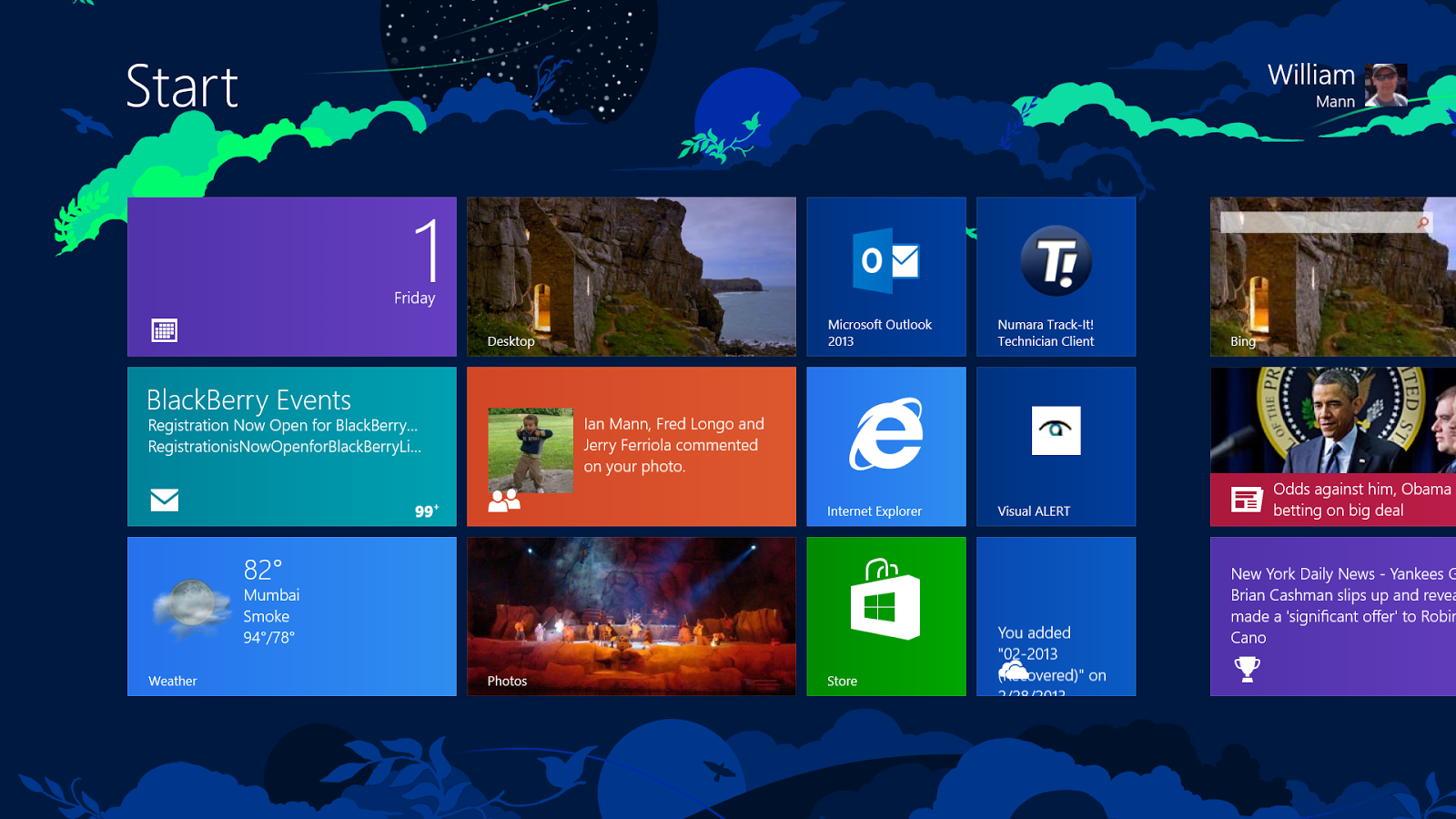
Major change for the operating system include a revamped Start screen, that now provides more options for customization and layout. The upgrade also finally brings side-by-side multitasking of Windows 8 apps, which was another criticism of the original Windows 8 release. You can also now boot directly to the desktop, bypassing the Start screen altogether. This in particular is something enterprise users have been screaming for.

While the update is free for users upgrading from Windows 8, people coming from Windows 7 will need to simply buy the Windows 8 upgrade ($119, or $199 for Windows 8 Pro) and then make the upgrade for free.

Microsoft said that in-store customers will be able to buy a boxed version of the software from tomorrow, and that PCs sold from October 18 would come with 8.1 pre-installed. If for some reason you buy a new computer and it still hasn’t been updated to the newer version of the OS, you will of course be able to download it for yourself for free.

What's New with Windows 8.1

When Windows 8 was first introduced last year, many users resisted the touch-orientated changes that Microsoft had made to the platform, such as creating separate UIs for different working areas with the Desktop and Windows 8 modes.

It seems that the removal of the Start button displeased many people. And that’s putting it mildly. Personally I had no problem with this, but I am not the typical PC user.

With today’s official launch of Windows 8.1, it’s time to see if the changes that the company has made to the operating system iron out these issues, or indeed, raise new ones of its own.

For anyone familiar with Windows 8, making the jump across to Windows 8.1 will be a painless experience, and while there are plenty of changes under the hood, I will focus on all the newest, most useful changes here. You will still find the same general way of navigating such as the  ‘Charms Bar’  (Search, Share. Start, Devices, Settings) which you get to by just swiping away on the right side of the screen. Swiping from the left still cycles you through apps and swiping up from the bottom usually brings up additional options for whichever app you are using. Naturally, all of this only applies when using it in Windows 8 mode, rather than the desktop.

Starting October 18, Windows 8.1 will be made available to Windows 8 users for free from the Windows Store, and downloading and installing will work just as they would for any other app. The company just announced that for non-Windows 8 users, the installer will be available on that date, and that as of October 2, you can pre-order full Windows 8.1 installation media (either download or disk) from Microsoft's online store.

Once Windows is installed and you are ready to go. The first thing you will want to do is link up your Microsoft account. If you don’t have one I recommend creating one. Skydrive will give you 7GB of free cloud storage and you will want access to the Microsoft Store so you can download apps.

Friday, September 13, 2013

The Tablet Killed the PC Star

With smartphones having already topped features phones, tablets are now poised to surpass PCs in terms of global shipments, according to data from the International Data Corporation (IDC).

Tablet shipments are projected to surpass total PC shipments in the fourth quarter of 2013, IDC said this week. Shipments of PCs will still be higher than tablets for the full year, but that will change by the end of 2015.

Although there are those who try to point the blame at Windows 8 for the falling sales of PC's I believe it is much more complex then that simple explanation. The reason for the declining sales has very little, in fact to do with the latest version of Windows. Technology buy it's very nature is in a constant state of flux.

Blame the Tablet
The reason that the sales of PCs are shrinking can be explained by simply examining the increasing sales of tablets. Consumers and professionals alike are mobile today more then ever before. In addition average tablets today have superior processors, memory, hard drive space and more then the best PCs five years ago could offer.

Blame the Cloud
The second cause of the declining PC sales and concurrent increase in tablet sales is the cloud. Tablets by there very nature do not have very large hard drives. However many tablets have 128GB of internal storage which is for the majority of users plenty of storage, especially with the easy and inexpensive (and often free) availability of cloud storage.

All is Not Lost for the PC
With all this in mind, I would not feel to bad for the PC. It will be a very long time before PCs are dead and buried. While their market share will continue to shrink, professionals will continue to use PCs in the office and at home. Considering that today's PCs are well built and last longer then ever before and that users are also using tablets at the same time it should surprise no one what is occurring in the PC market.

Read my April 15, 2013 related article, "In Defense of Windows 8".

Tuesday, August 20, 2013

Windows 8's Yoga

Microsoft has released a new iPad versus Windows 8 commercial and it might be the best one yet. The 31-second commercial shows how the Lenovo Yoga offers all of the features of the iPad while in tablet mode, and then when needed, flips to the standard laptop layout while those with iPads waste time trying to attach a keyboard.

The reason why this commercial is so important is because it shows a real-world scenario of how the Lenovo Yoga bests that of the iPad in the classroom and that it is a great companion for those who students are heading back to school. Of course, seeing that the commercial came out in late August and many are already in the classroom, this commercial may have been better suited to air over the summer before the back to school goods were purchased.

While this commercial is a new spin on Microsoft’s iPad vs Windows 8 PCs, Microsoft does conveniently leave out the price, with the Yoga 11s starting at $749. While obviously more expensive, depending on how you equip the iPad, it can reach easily into that price point. In addition although this commercial displays the Yoga 11 I would tend to go with Microsoft's Surface Pro for college students.

Monday, August 12, 2013

Windows 8.1 Saves the Day?

Today reliable information was leaked throughout the tech world that the official release of Windows 8.1 was only days away. For us early adopters of Windows 8 this is a good news. Windows 8.1 Preview has been around for about 6 weeks or so and I have been using it on a couple of my computers. Although it addresses some issues like getting our start button back, well kind of sort of,  I found the 8.1 Preview to be inconsistent between my various computers. I have one Acer laptop that simply refused to access my email through the Windows mail app once the upgrade was completed.  The Acer struggled in various ways to such a degree that I restored it back to the original Windows 8. Meanwhile my Surface Pro had not problems with the 8.1 Preview and has been working quite nicely with it.


This is all to be expected from any "preview" version so much like the NFL Pre Season which is also upon us you can not get to concerned or upset when using these "public betas".

The changes in 8.1 are clearly designed to improve the discoverability of features in Windows 8.1 and address some of the loudest complaints, like the missing start button, very limited help features and work place usage.

Alongside the context menu changes, Microsoft also displays tips within the built-in apps that direct users to swipe and access the Charms. None of these changes were present in the Preview version of Windows 8.1, and Microsoft has also created a Help + Tips app that includes a variety of video tutorials for navigating the OS, accessing files, basic actions, and settings.

Oh and did I mention that there is a start up button and administrators can set Windows to boot straight to the desktop which are also both welcome additions.

The upgrade to 8.1 is free and will be available through the Windows 8 Store soon!

Wednesday, July 10, 2013

Windows Under The Dome

Ok maybe it's not just me who has high hopes for Microsoft's Windows Phone. I suggest this because of the new  mini-series,  “Under the Dome”. This new series from CBS follows a group of people suddenly cut off from the rest of the world after an indestructible invisible dome suddenly surrounds their town began airing this summer.

The show is classified as sci-fi/horror and watching part 3 this week I had to do a double take several times as Windows phones and Windows tablets were on display and being used by many of the characters.

Hey, that's a Windows Nokia Lumia 920 being charged!

In this week's episode (part 3), Microsoft clearly got under the dome as a few products suddenly showed up in the town, mostly in the youth’s hands. We saw two Nokia Lumia 920s (one white, one red) and even a few Microsoft Surfaces being used by the teens in the scene where they all use a generator to re-charge their devices. The best is probably seeing the Surface being swiped back and forth on the Start screen, which is just kind of fun.

A Microsoft Surface Table appears Under the Dome.

Does this kind of hidden placement really help? Well it can't hurt that's for sure. Microsoft has been working very hard this past year in an attempt to gather some buzz and the "cool" factor.  I believe there is a good chance that this sort of product placement will indeed help increase Microsoft's product share, which has been improving regularly, if not slowly recently.

I am not sure how I actually feel about this new series after 3 episodes but at least the residents are using something other than Android & Apple.

Monday, June 24, 2013

Windows 8.1 Preview

If you are currently using Windows 8 you are aware that it obviously is a work in progress. While Windows 8 works fine on touch screens it can be clunky on non-touch screens. In addition if Microsoft has dreams of the corporate world adopting Windows 8 in the workplace further development and customization is required. Microsoft has obviously been working on some of these issues as the upcoming release of Windows 8.1 (or Windows Blue) proves. As with Windows 8 and Office 2013 Microsoft will be releasing a "preview" a few months before the final release on June 26.

It makes sense to look at what the Windows 8.1 Preview will bring to the table, and its requirements and changes, before you make a decision whether you should upgrade your system to the preview build right away.

For many users, it may be better to wait until the final version of Windows 8.1 gets released. While there is no definite date set for that yet, it is likely that Microsoft will make it available just a couple of months after the release of the preview version.

Requirements
The system requirements have not changed at all.
  • 1 GHz or faster processor.
  • 1 Gigabyte or 2 Gigabyte of RAM depending on whether you are using a 32-bit or 64-bit system.
  • 16 Gigabyte or 20 Gigabyte of hard drive space again depending on whether you are using a 32-bit or 64-bit system.
  • Microsoft DirectX 9 graphics card.
Windows RT users need to have at least 10 Gigabyte of free storage on their device for the upgrade.
There is one main change though that users need to know about. You need to use a Microsoft account to sign in to PCs that run the preview build of Windows 8.1 There is no option to create a local account in the release, but Microsoft promises that it will be made available when the final version of Windows 8.1 gets released later this year.

Windows 8.1 Preview will be made available via Windows Store as a direct download and as a Preview ISO image. If you want to download it from Windows Store, you need to install an update first on the system that you get from the Windows 8.1 Preview download page. Next time you start the system after installing the update you receive a notification that you can get Windows 8.1 Preview for free from the store.

An Internet connection is needed to download the app from Store, but once it has been downloaded no Internet connection is required until the update has been successfully installed and the system rebooted.

You can alternatively download the Windows 8.1 Preview ISO from the download page and use it to install the operating system. You will need a product key that Microsoft makes available on the download page. It is likely that this is a generic key that all users who install the preview build share.


What's New in Windows 8.1?

  • Boot to Desktop
  • More rows on start screen and additional tile sizes.
  • Improvements for mouse and keyboard users on the desktop and start screen.
  • Snap View feature improved, supports now up to three apps.
  • Internet Explorer 11.
  • Windows Defender with network behavior monitoring.
  • Device Lockdown with Assigned Access (RT, Pro and Enterprise) to enable a "single Windows Store application experience on a device".
  • Pervasive Device Encryption for all Windows editions. Enabled out of the box and can be configured "with additional BitLocker protection and management capabilities".
  • Improved Biometrics including optimization for fingerprint based biometrics.
  • Remote Business data removal.
  • Support for a wider range of VPN clients and auto-triggered VPN.
  • Broadband tethering.
  • Windows Store enabled by default for Windows To Go users.
  • Bring your own Device enhancements such as work folders, Wi-Fi direct printing, RDS enhancements and web application proxy.
  • SkyDrive is integrated natively into Windows 8.1 but does not sync data automatically to the PC. Placeholders are displayed instead.
  • You need to sign in to a Microsoft account to use the store.
  • All Windows 8 apps will work on Windows 8.1 but not the other way round.
  • Apps are automatically updated unless you are connected to a metered Internet connection.
  • Desktop background can now be displayed on start screen.
  • Lock Screen slideshow of photos.
  • Aggregated search powered by Bing.
  • Improved stock apps and new apps such as a Calculator, Sound Recorder and new Alarm features.
  • PC Settings updated (the start screen control panel) so that it is no longer necessary to switch to the desktop Control Panel.
  • Start button that links to the start screen.

  • Unconfirmed
    You will lose access to apps and programs that you have installed on Windows 8.1 Preview systems when you upgrade to the final RTM version of the operating system.

    I may actually end up waiting if it is indeed true that all applications will need to be re-installed when moving from the preview release to the final RTM. I am still waiting on what is happening here before deciding what to do.

    Below is a video preview of Windows 8.1


    Thursday, May 30, 2013

    Windows 8.1 Sneek Peak

    Its no secreat that Microsoft has taken some heat from consumers for Windows 8. While I believe much of this is a little unfair to Microsoft perhaps they did move ahead a little too fast for many consumers. With this in mind Microsoft today offered a 'first look' at its upcoming Windows 8.1 operating system via a blog post by Antoine Leblond, Corporate Vice President, Windows Program Management.

    You can read all about the new features below...

    Personalization:

    In Windows 8.1, you’ll be able to do more to personalize the experience on your device. As people started using Windows 8, we found that people were using their Locks screens to show pictures of their families. So in Windows 8.1, you can turn your PC or tablet into a picture frame by making your Lock screen a slide show of your pictures – either locally on the device or photos from the cloud in SkyDrive. We also added the ability to take pictures with the built-in camera right from the Lock screen without having to log in.

    Windows 8.1 offers more colors and backgrounds for the Start screen – including ones with motion. You can even choose your desktop background as your Start screen background, creating a greater sense of unity and familiarity. And the Start screen in Windows 8.1 features a variety of tile sizes including a new large and new small tile, so you can organize your Start screen exactly the way you want it. It’s also even easier to name groups and rearrange tiles. You can now select multiple apps all at once, resize them, uninstall them, or rearrange them. We also found people were accidentally moving tiles on their Start screen so in Windows 8.1, you press and hold (or right click) to move things around.

    You can view all apps just by swiping from the bottom to view all apps, and we’ve added the ability to filter your apps by name, date installed, most used, or by category. You want the Start screen to be about all the things you love. So when you install a new app from the Windows Store, we no longer put that app on your Start screen. Instead, you’ll find these apps under apps view as mentioned above and marked as “new” where you can choose to pin the apps you want to your Start screen.


    Search:

    In Windows 8.1, the Search charm will provide global search results powered by Bing in a rich, simple-to-read, aggregated view of many content sources (the web, apps, files, SkyDrive, actions you can take) to provide the best “answer” for your query. We think this will really change the way you interact with the Web and with windows making it quicker and easier to get things done. It is the modern version of the command line!

    Quick actions include things you would want to do like play a song or video. Results from local files, apps, and settings are easily accessed in the same convenient view by scrolling to the left.


    Apps and Windows Store:

    We will be improving all our built in apps that come with Windows 8 for Windows 8.1. For example, the Photos app now has some new editing features that lets you quickly edit or adjust photos when you view them in the Photos app or open them from other places like the Mail, SkyDrive, and Camera apps. And our Music app has been completely redesigned to help pick and play music from your collection. We plan to talk more about updates to the built in apps in Windows 8.1 and some brand new apps we will be introducing in a future blog post.

    We’re also making improvements for using multiple apps at once in Windows 8.1. Windows 8.1 brings variable, continuous size of snap views. You will have more ways to see multiple apps on the screen at the same time. You can resize apps to any size you want, share the screen between two apps, or have up to three apps on each screen if you have a multiple displays connected, you can have different Windows Store apps running on all the displays at the same time and the Start Screen can stay open on one monitor. This makes multi-tasking even easier. Also in Windows 8.1, you can have multiple windows of the same app snapped together – such as two Internet Explorer windows.

    The improved Windows Store in Windows 8.1 is designed to show more info than before in Windows 8 with detailed lists of top free apps, new releases, and picks for you on the homepage. The app listing is more descriptive and informative and includes an area for related apps to help with app discovery. Categories are listed with other app commands such as links to your apps and your account information. App updates install automatically in the background as well as they come through the Store. And search is available in the upper right hand corner for finding the apps you want.


    Cloud Connectivity:

    In Windows 8.1 your files can be saved directly to SkyDrive, so you can always have your files with you. The new SkyDrive app gives you access to your files that are on your device or in the cloud, and files are accessible even when offline.

    Also, when you log on to your Windows 8.1 device with your Microsoft account (Outlook.com by default), your device magically becomes personalized with your settings and apps, making switching or setting up a new device really easy.


    PC Settings:

    The updated PC Settings in Windows 8.1 gives you access to all your settings on your device without having to go to the Control Panel on the desktop. You can do things like change your display resolution, set power options, see the make and model of my PC, change the product key, let me do Windows Update, and even join a domain – all from PC Settings. You can even manage SkyDrive from PC Settings as well and see how much available storage you have (and buy more if needed).

    Internet Explorer:

    Web browsing continues to be one of the most popular activities on any device. That’s why with Windows 8.1, you also get Internet Explorer 11 (IE11). IE11 builds on the advancements in IE10 and is the only browser that is built for touch. IE11 will offer even better touch performance, faster page load times and several other new features we think you will enjoy. For example, you can now adjust the appearance of modern IE11 to always show the address bar and you can have as many open tabs as you like. And you can access your open tabs in sync across your other Windows 8.1 devices.

    Better Mouse and Keyboard Options:

    PCs today are evolving for a world of mobile computing where people interact with their devices through touch, and we designed Windows 8 for this. But we also recognize there are many non-touch devices in use today – especially in the commercial setting. As such we’ve focused on a number of improvements to ensure easier navigation for people using a mouse and keyboard.

    We’ve improved the way you navigate to Start with the mouse by changing the Start “tip” to be the familiar Windows logo. The new tip appears anytime you move the mouse to the bottom left corner of the screen, and is always visible on the taskbar when on the desktop. There are also options to change what the corners do, and options to boot into alternate screens. For example, if you prefer to see the Apps view versus all the tiles, you can choose to have the Start screen go directly to Apps view.

    Windows 8.1 will be available later this year as a free update to Windows 8 users via the Windows Store. Microsoft will release a preview of Windows 8.1 on June 26th, the start date of its Build developer conference.
    

    Monday, April 15, 2013

    In Defense of Windows 8

    Even if you only vaguely pay attention to technology news you no doubt heard how PC sales are at an all-time low and that Windows 8 is the cause. I am here to defend Microsoft’s Windows 8 – sort of.

    It cannot be disputed that PC sales have been declining and in fact are indeed at an all-time low. Why this is a shock to everyone simply amazes me. If you look at this trend with a very broad scope – it is easy to explain and more importantly to be expected. Here are some facts to look at before reflecting on what is actually happening in the consumer market as we speak.
    Windows 8 appears in October 2012. As you can see PC sales were dipping long before that.
     
    During the early 1980’s the first low-cost home computers began to appear on the market. A price war began and home computers were soon showing up in homes across America. IBM PC clones began dominating the market by the late 1980’s. There were always rivals like Apple during this time period, however PC Clones were the easy choice for most people. By 2001 personal computers, running Microsoft’s Windows operating system were controlling the market. This dominance continued until the third quarter of 2008 when laptops made their first real (affordable) appearance in the consumer market. At the time computer sales had reached the one billion mark.

    Laptops date all the way back to 1976 however for the consumer these mobile computers became a true option in 2006 and 2007.  The appearance of truly affordable and usable laptops by mid-2008 is important because it marked the first time that personal computers had a true competitor, the laptop. Consumers now had a real choice when it was time to replace their old computer. Should they replace their PC with a laptop or purchase another PC? In fact the choice consumers were making regarding personal computers when provided options is clear as far back as this point in 2008. During the third quarter of 2008 laptops outpaced personal computers in sales.  Let’s be clear – Windows XP was the operating system at this time. Windows XP had nothing to do with the shift away from personal computers. I believe that the same can be said for Windows 8 today, but we will get to that later.


    The competition for sales is only beginning in 2008. Just like laptops, smartphones are older than you may think. The first actual prototype appeared in 1992 built by IBM. BellSouth than built one in 1994. Then Nokia premiered Nokia 9000 in 1996. As you can see smartphones have been around for quite awhile.  Companies including Palm, HP, Blackberry and even Windows were writing software for smartphones throughout the mid to late 1990’s. By the late 2000’s right around the time of the truly affordable laptop the popularity of smartphones was proven. Here you have the second competitor with personal computers.  


    Tablets like smartphones and laptops have a longer history then one might expect. Did you know that the first patent for a "tablet used for handwriting" was granted in 1888? That is not a typo. 1888 – Not 1988. For the purpose of keeping this article as short as possible lets jump ahead 122 years. You see it was here, in 2010 that Steve Jobs introduced Apple’s iPad. This was a disaster for personal computers. This is because many consumers simply do not need the complexity of computers. Many people only require the ability to access email, the internet, the ability to shop online, games and the ability to write letters and other documents. Apple’s iPad offered this. The operating system as this time running most computers was Windows 7. PC sales which had already been declining continued to do so. To make matters worse for PC sales Android tablets appeared in early 2011 followed by the Amazon Kindle in September of 2011 and in October 2012 Microsoft launched it's Surface tablet line. Tablets today are appearing in every size and shape imaginable.

    Fast forward to today as we near the end of this article. Today personal computers are at a crossroads and Microsoft is obviously very aware of this. Computing tools are all around us truly for the first time in history. Today consumers can choose personal computers, laptops, smartphones and now tablets to meet their computing needs. Most consumers simply will not purchase “all of the above”.

    Microsoft also realizes that the way in which we use our computers is evolving, even if many consumers refuse to acknowledge it. Think about it. With the exception of most personal computers all of the devices I mentioned in this article have “touch screens”. There is no reason that computers cannot be used in this manner as well. This is why Windows 8 is designed in the way that it is. I believe that Microsoft sees a day in which we will use our smartphones, tablets and computers all in the same way and that all the devives we use will be synced together.


    Personal computers sales will never be what they once were. Let me be clear. In my humble opinion Windows 8 has very little to do with this so I really hope that people stop blaming it. Competition from within the digital market is the explanation. For many users a tablet or even a good smartphone meets their everyday digital needs.
    Windows 8 needs to and will improve as Microsoft’s development of it continues. But to blame the woes of computers sales on it is foolish, easy and wrong.

    So there - please leave Windows 8 alone!

    Friday, April 12, 2013

    Windows Blue?

    Windows 8 has been out for a short time and Microsoft has traveled a challenging and difficult road in it's attempt to get people to move from Windows 7 or even XP to it. This is simply because Windows 8 is a very different operating system from anything that came before. Windows 8 is built around the idea of "touch" and mobility. Windows 8 works best on tablets and touch screens. I have been using it almost exclusively since October 2012, both on touch and non-touch screens.

    For the most part I like it. However I am probably not the problem for Microsoft. I embrace change in technology and I quickly grow tired of using the same old thing. This probably explains why I dumped my IPhone earlier this year and moved to a Windows 8 phone.


    Anyway Microsoft obviously is not sitting on it's laurels with 8 and an upgrade is rumored to be arriving shortly. Details recently emerged regarding "Windows Blue", an upgrade to Windows 8.

    Early reports show the interface will allow for gesture controls and locking apps side-by-side.

    This seems to indicate the new version of Windows will once again be mobile-device centered.

    "Windows Blue" if that is it's final release name, demonstrates what I believe in the long run is a smart bet on Microsoft's side.

    And that is that computing is going mobile in the not to distant future.

    Friday, March 15, 2013

    Windows 8 on the Road - Final Report (for now)

    Looking back on my recent Disney World trip and my experience with Windows 8 I must say that for the most part I am happy with my smartphone and tablet. However if you read my previous 3 posts straight from Orlando you will also know that all was not peaches & cream with me & Microsoft.

    Microsoft Surface Pro Tablet

    The only problem here was using the tablet in very crowded places. The flight into Orlando was especially tough. I was sitting in the middle of three seats and the passenger on my right (not the wife) was crowding me. The Surface tablet is much heaver and bulkier then a IPAD and it was difficult to really get comfortable with it on the flight. However once arriving in Florida the Surface tablet was a delight to use. Each morning I was able to actually get a little work done, read the newspapers (just like my IPAD) using the Press Display app. There are still some much needed apps like Zite & Flipboard missing but I will give Microsoft a little more time to get these. I could also easily write blog articles, browse Facebook as well as the internet in general. Doing all of these tasks on an IPAD would be difficult at best.

    Windows 8 Phone

    First and foremost. For the most part my Nokia Lumia 822 worked just fine. As I have been reporting Microsoft Office, Lync, SharePoint & SkyDrive integration cannot be over valued, that is, if your goal is to get work done no matter where you are.

    The main problem I experienced was the phone losing connectivity to the internet. From time to time I would have to restart the phone to get it to connect to the internet. This occurred about 4-6 times and I must admit I was a little flustered by this. I had status updates to do after all! This was very strange indeed because with the 2 months I have been using this phone the only time this problem occurred was during my trip. No problems with this, before or since. I will keep an eye on this particularly.

    My Photo Tile
    It also took a little practice to get used to the 8mp camera but once I did it was fine. Pictures can be setup to immediately upload to your SkyDrive account which is really a great feature. It's also very cool to have a live "Pictures" tile (pictured right) displaying your camera roll.

    I am a music lover. If you enter my office you will probably hear Classic Vinyl, Classic Rewind or Deep Tracks playing. If you are an honored guest at my home there will probably be music playing. If I am outside working (hurry up Spring) I am giving my ear buds a work out. Here is another area where the Windows Phone 8 OS is weak. The music player and interrogation is worlds behind Apple. So I did no expect anything here and in fact brought my IPOD for music.

    All in all I will be continuing to use my Windows 8 Phone while watching closely for continued updates and enhancements from Microsoft.

    Both of these devices offer hope for those us wanting the best of both worlds. Devices that truly integrate home and work life.  Only time will tell if Microsoft can improve where necessary while keeping their eye on the prize.

    Monday, March 11, 2013

    Windows Observations Continue @ Disney

    First the good news. The Microsoft Surface Pro has proven to be a big winner with me. Other then some difficulty using it in crowded places like airports and airplanes it has worked as I had anticipated. Once you have some space, like at the resort (and of course at home or at work) there is not much that you cannot accomplish with this tablet. For example while sitting at the resort having my morning coffee in the lounge I was able to remote into work and complete two (2) work orders,write this article, browse my pictures from yesterday, read the newspapers via an app and simply surf the internet as we tried to decide what Disney park to hit first.

    Now the not so good news. The Windows phone does a lot of things OK. The only thing truly exceptional with it at this point is it's excellent integration with Microsoft Office, Skydrive and Sharepoint. Once you get past this there is work that need's to be done by both Microsoft and their phone manufactures.  If you recall I reported that the phone on day 1 lost it's cellular connection twice and had to be restarted to reestablish it. Yesterday it failed to connect to the internet at least 5 or 6 times. I had to restart the phone on most of these occasions to reestablish the connection. Very strange. The camera is weak in performance. It can take several moments for the shutter to work, even when using the physical shutter button. The Facebook and FourSquare apps are not as neatly developed as their counterparts on Apple or Android. Everything in these apps seem to take longer then what is necessary with Apple and Android phones. This must change if Microsoft truly wants to get a piece of the consumer smartphone pie.

    Well the testing continues and I must head out to the parks.

    Have a magical day. 

    Sunday, March 10, 2013

    Wiindows @ Disney - First Impressions

    This is only my first impressions of what I have found with my 2 Windows 8 devices on our short trip to Walt Disney World however I wanted to take a few moments to write this report.

    Microsoft Windows 8 Pro Surface Tablet

    First - the Microsoft Surface Pro is a great device. It has for the first time in about a decade given me the confidence to travel without a laptop. For me a laptop has always been a must when travelling. I have probably had to "remote in" to handle problems at work, write reports and more tasks dozens of times. Without a laptop this would have been impossible. I know that the Surface has enough power to handle most if not all laptop tasks, with the possible exception of video editing. However to get to most of these destinations I must fly. Airports and Airplanes are often very busy and crowded places. Personal space is often difficult to find. Maybe it's just me but I often think of the Star Trek episode, "Mark of Gideon" whenever I am in these crowded places. I found that the Surface tablet is bigger and bulkier then is necessary if you simply want to play games, listen to music, surf the internet, read a book etc. The IPAD is a much better device for these tasks, It is lighter, smaller and handles those simple tasks just fine.

    I have been suggesting for months now that the Surface or other Windows 8 devices are better "professional" devices for those on the move. Here the Surface shines. Once at the resort I was able to truly read email through a Outlook 2013 client, open documents in Word and Excel and even write this fine article with great ease. None of this could have been done on my IPAD.

    Also once at the resort and with personal space I was able again to use the Surface to read the newspaper and other tasks normally handled with my IPAD.

    In fact after writing this article, I will unsnap the magnetic keyboard, flip the tablet vertically and finally sit back, relax and read the online versions of my local newspapers before heading back to the parks!

    Windows 8 Phone

    My biggest problem here was the camera on the Nokia Lumia 822. I found that the shutter speed was often very slow and clunky. Snap the picture and sometimes you need to wait a few seconds for the shutter to kick in and sometime it kicks in and takes 3-4 pictures at once. As our first day went on I discovered that if you use the physical shutter button things work a bit better. In addition it is important to remember that this problem probably rests with the physical phone and not Windows itself. Verizon Wireless currently only has 2 Windows 8 phones so here is hoping that more models are released soon.

    The other problem I had on day 1 was that twice, once in Philadelphia and once in Orlando the phone lost cellular service. I was able to fix this both times by powering it off and back on. I am also hoping that this was a fluke as well.

    A nice feature of the Windows 8 phone is that all photos (and videos) you take can be set to automatically upload to your SkyDrive account. If you were to lose you phone this would indeed be a life saver. Once back at the resort I was able to browse my photos immediately on my Surface tablet through SkyDrive. From here you can easily view, edit and organize your new photos.

    Well my journey with Windows 8 at Disney World continues so I must go.

    Have a Magical Day!

    Friday, March 8, 2013

    Travels with Windows 8

    Now that I am using a Windows 8 phone and Microsoft Surface Windows 8 Pro tablet exclusively I find myself hoping that these devices travel well. Earlier this week I had my first experience away from the safety of home with my 2 Microsoft devices. This was only a one day conference so I don't want to rely to much on how great things went.

    The conference had power sources available so I was able to plug my Surface tablet in the entire time so I had no problems with the limited battery life of 4 hours. I was able to access my Outlook account and my files via SkyDrive. I also had to remote into 2 computers to provide "help desk" support. This was very easy to do on the Windows 8 tablet.

    With the Surface tablet it was like have a tablet sized powerful PC in front of me which was really great.

    Power Concerns

    Microsoft's new Magnetic Cable
    The bigger challenge is going to be my upcoming trip to Florida. My primary concern revolves around power. This is because the Surface tablet has a battery life of only about 4 hours so I am hoping I will be able to find power sources from time to time at the airport to keep it charged. If I want to watch a movie, listen to music or even play a game I am going to need a full charge on the airplane. To add to my concern is Microsoft new magnetic power cord. The power cord does not use USB but a new "magnetic click" connection. This means I will not be able to use my Mophie external charger on the tablet. The Windows phone will not be a problem because the (phone) battery lasts much longer and my Mophie will connect with it's standard USB port for charging power.

    Limited Apps
    The primary concern here is involving my Windows 8 phone. This one is not as big a concern for me as the power challenges of the tablet but I am concerned regardless. Windows 8 phones do not currently enjoy the app store inventory of their rivals at Apple or Android. Will the limitation here bother me while on the road? Only time will tell.

    Stay tuned friends. I will report my experience as I travel with these devices.

    Sunday, March 3, 2013

    Microsoft's New Approach to the Home Screen

    Windows Phone takes a markedly different approach to homescreen management. Both Apple’s and Android use basically the same old the app icon grid. However Microsoft relies on Live Tiles. Both approaches come with their fair share of frustrations, but after my experience with a Windows 8 phone I must say I think the Windows model is far superior in many ways.


    Apps can take one of three sizes on the Windows Phone home screen: small squares, large squares, or wide rectangles. And not every app needs to be on your home screen. You can arrange only the apps that you use the most frequently on the homescreen. All of your apps are discoverable from a second screen, accessed by swiping across the main homescreen, where they’re alphabetized and searchable. Apple & Android can do the searchable part, but the surprisingly handy alphabetical list feels like an obvious omission now that I have been using it.

    Windows Phone’s Live Tiles add a degree of intelligence that the Apple home screen simply does not have. Instead of simply badging app icons, many app icons (tiles) can instead show actual data pulled from the apps in question: For example your Facebook & Twitter tiles can cycle through recent messages while a weather app’s tile can show the forecast and current conditions, and the calendar tile can show upcoming appointments. Though limited by space constraints, the feature is clever, and it works well.

    While you can choose various themed colors for your Windows Phone as well. The Windows phone, with it's 3 sizes of tiles and endless ways in which to organize your home screen is fun and can really make your phone stand out from your friends, family and work mates.

    Try this as an experiment if you have the time. If you have an iPhone and look around probably several others will have one as well. If you then find a couple of people with the same model (4, 4S or 5), mix them up and throw them on the floor (lightly). It will take a few minutes of looking at each one to figure out who's is who's. However if you have a couple Windows 8 phones (not a good bet just yet), and even if they were the same model and color, the same experiment will no doubt demonstrate that immediately each phone's owner will have no problem knowing which is his or hers.

    Friday, March 1, 2013

    Windows 8 Phone - Part 2

    OK I admit it I was feeling a bit guilty. You see through January I had been using a Windows 8 phone and was really enjoying many elements of it, especially the seamless integration with Microsoft Office, SkyDrive, Lync & SharePoint. Shure many of the iPhone Apps I have grown used to were not there, but hey Facebook, Twitter, LinkedIn & FourSquare were available. As a matter of fact in the past couple of weeks YouTube was finally added. However I really did miss some of those apps I had gotten used to using such as Tivo, SiriusXM, Pocket and of course Apple's superior music player and in early February I switched back to my iPhone5.

    OK Windows 8 Phone Let's Do This Again

    Now that I am testing the Microsoft Surface Windows 8 Pro tablet and I have a couple trips coming up I figured I should try out the Windows 8 phone again. With all of that being said I switched back to the Nokia Lumia 822 Windows 8 phone with a commitment to give it yet another month to test out.

    I hope to report some good news to all of you during the next 30 days or so regarding my experience with this Windows 8 phone.  Wish me luck.... and stay tuned for more.

    Microsoft Surface Pro Review

    For the past week now I have been almost exclusively using a Windows 8 Pro Surface tablet. I have a few early observations I wanted to share here. First, the ability to run full Windows applications on a tablet has been something that many people, including yours truly have been waiting for. As promised, the Microsoft Surface Pro allows for this to happen. There is something liberating about having a tablet that can actually truly run any Windows program out there.
     
    Windows 8 Pro - a fine mix of native tablet & Windows apps
     
    Although not as powerful as most ultrabooks, the Surface tablet does include some impressive technical specifications considering it is a first of a kind device.
    
    Intel Core i5-3317U Dual Core Mobile Processor
    4GB DDR3 Memory
    128GB Solid State Storage
    10.6" WUXGA (1920x1080) Multitouch Display
    1.0 Megapixel Front and Rear Webcam
    Intel HD 4000 Graphics
    802.11a/g/n Wireless, Bluetooth
    USB 3.0, Mini DisplayPort, microSD, Cover Port, Pressure Sensitive Pen Stylus
    10.8" x 6.8" x .53" @ 2 lbs.
    Windows 8 Professional
    The Surface Pro screen takes the 10.6-inch display panel up to a 1920x1080 resolution while and can fully support 1080p high definition video. Color and brightness are quite good and the viewing angles are very wide with little contrast loss.
    The heart of the Surface Pro is the same hardware that would typically be found in most ultrabooks today. It is powered by the Intel Core i5-3317U dual core mobile processor that is matched up with 4GB of DDR3 memory. The result is that the system offers some outstanding performance that allows it to take on tasks that most tablets would not be able to. Of course the processor setup along with the full Windows 8 Professional means that it can run any of the traditional Windows applications on the market. The Surface requires active cooling which means that there are fans inside the case. There have been reports of loud fans although I have had no noise issues with mine.  In addition Microsoft did a good job of disguising the air intake and output slots.
    The more demanding hardware of the Surface Pro meant that Microsoft needed to put a larger battery in the tablet. They wanted to balance the weight and size of the system as well. They eventually settled on a 42Whr battery pack. This is larger than the Surface RT tablet at just 31.5WHr and roughly the same as Apple's iPad 4. Average battery length is about 4 hours which is about half of other tablets on the market today.
    Storage is a big subject with regards to the Surface Pro tablets. In fact, I am reviewing the 128GB model specifically because of the space constraints that exist within the 64GB model. After the OS and recovery partitions are taken up, there is just 29GB of space left on the 64GB model. That leaves little space for programs and data. In contrast, the 128GB version has 89GB which is much more functional. This does drive the cost up but should be something that anyone considering the tablet should take seriously. The solid state storage does help make the system extremely responsive with the operating system cold booting is just about twelve seconds and applications come up almost instantaneously. There are options of adding extra storage through an internal micro SD card slot for use with flash memory or external storage through a USB 3.0 port which is something not seen in any other table today.

    My favorite network application, "Track-It" running on the Surface
    
    I was able to log my Surface tablet onto the network at work with a secure SSID which connects to the AD (active directory) server. From there I was able to install networked applications, access network files and print to networked printers. This is where a Windows tablet is going to find it's success.
    The Windows 8 app store still needs to grow but I am not really that worried about that. The store's inventory has grown alot during the past couple of months and I see no reason for this trend not to continue.
    Finally, we come to price. The 64GB model of the Surface Pro retails at $899 while the 128GB model runs $999. This already places it at the premium end of ultrabooks and well beyond the cost of your typical tablet. However if you want a truly mobile device that can do it all this may be the mobile solution for you.

    I will be travelling with the Surface a couple of times during the next few weeks so stay tuned for more evaulation... and please keep your fingers crossed.

    Friday, February 22, 2013

    The Surface Arrives!

    Today my Microsoft Windows 8 Pro Surface tablet arrived! I will be trying to use this thing exclusively throughout the next month. I will document my experience here for all of you, my dedicated readers.

    Thursday, February 7, 2013

    Windows Phone Moves into 3rd Place

    I have been predicting this for almost a year now so when I read that Microsoft's Windows Phone platform has leaped past Blackberry (formally known as RIM) into the third place position for mobile operating systems I just had to report it here.

    Stategy Analytics reveled on February 6, 2013 that "Microsoft Windows Phone" overtook Blackberry OS to become the third largest smartphone platform in the United States maket during Q4 2012.
    Blackberry had held this position since 2006 so this is big news for Microsoft as they struggle to gain market share in the mobile world.

    If you are a regular reader of this fine blog you will recall that I used a Windows 8 phone throughout January. Although I switched back to my iPhone afterward i was impressed with many of the features Windows 8 had to offer. However the platform is still in the infancy stage and needs a little more time to develop. I am hopeful that I will soon be switching back to the Windows Phone because I do miss having Microsoft Office and Skydrive always accessible to me.

    Thursday, January 31, 2013

    Living with a Windows 8 Phone - For a Month Anyway

    I combined all of my articles into one paper the desribes in chronological order my one month experience with a Windows 8 Phone. If you are considering switching to Microsoft's new phone or if you are just interested in learning more check it out here.

    Windows 8 Phone - If Wishes Were Horses

    I lasted a month with my Windows 8 phone. We had some goodtimes – we had some not so good times. There is an old saying that  goes something like this that describes my feeling about the Windows 8 phone. It goes like this, “Wishing for something doesn’t make it true”. Don’t get me wrong. I really – really want Microsoft to find success with their Windows phone. There are some unique benefits to their phone that cannot be found anywhere else. However the Windows phone is in the baby stages of development and there is still a little work to be done before Microsoft can truly nudge their way into relevance in the smartphone world.  This is not to be unexpected, the head start Apple (2007) and Android (2008) have over Microsoft (2010) is significant.  If you further consider that Microsoft only launched their Windows 8 phone on December 20, 2012 they truly have a lot of ground to catch up.

    After using the Windows 8 phone for a month I came to the following conclusions.
    It’s all about the Apps

    Sadly it’s all about the Apps for many smartphone users. Android and Apple have done an amazing job of enticing companies to develop apps for their smartphones. If you are a business you almost are required today to develop and release an IPhone and Android app. The amount of Apps has exploded since 2007 and 2008. Microsoft has a lot of catch up to do here if they want consumers to move to their eco-system. The good news is I believe Microsoft realizes this and they are working to increase the amount of Apps available as quickly as possible.
    I Want My Music

    Yes – I know this is not exactly business related. However most users of smart phones have stopped carrying separate portable music players and rely on their smartphone for this. In addition if Microsoft is going to be successful with their Windows phones they cannot rely only on the professional consumer. This is what RIM did and look what has happened to that company. Microsoft has never got the music player right. Microsoft's biggest effort with music players was Zune (2006) which never competed with Apple in any meaningful way. This was simply because Zune is not that good. It was overly complicated. The music player on the Windows 8 phone is not much better. Importing music and tags* is erratic and overly complex. This will need to improve as well for the Windows phone to find mass appeal.
    * Tags contain the information in music files such as artist name, song name, album title, album year, album art in additional to other details regarding the song file.

    The Windows Advantage
    There are some great advantages that Microsoft has over Apple and Android even at this early stage. The first and most important is Microsoft Office integration. With the addition of SkyDrive integration accessing documents is far easier and efficient on the Windows phone then any of its competitors. 

    Sharepoint and Lync users will also find the integration of these services seemless, which is not true on Android and IPhones.

    Microsoft has demonstrated real innovation with the Windows 8 operating system. Moving away from icons that include several screens to a live tile interface is the first real change in smartphones since 2007. Because of this live tile interface no 2 Windows 8 phones look alike once the user begins customizing their phone. This cannot be said for IPhones and Android phones.
    I will stay on top of the continued development of the Windows 8 phone. I hope to find myself using a Windows 8 phone again. I truly believe it has the capability to become a true option not just for the everyday consumer but professional organizations as well.