

Once logged in select "Sites" on the top menu bar.
Once you are on the "Sharepoint" page you will see an sites you are a member of. For this case, you want top open the "team Site" which is where our organization stores and shares organizational documents and cooperative projects.

Once you are the "team site" you will be able to see and announcements regarding newly posted documents or files. Libraries are basically folders of related documents, such as "HR Documents" and "Internal Policies".


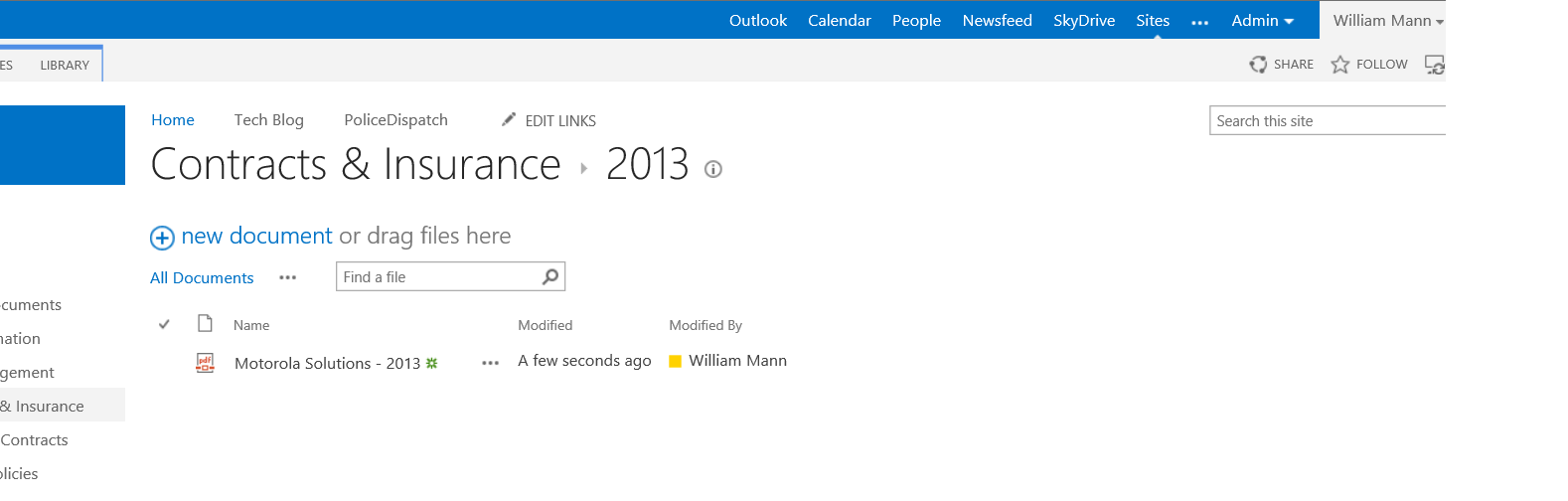
You will be able to open any document that has been stored here as well as uploading a new document. To add a document to the library select "new document". Select upload existing file. Then brose to find the document you would like to upload to the library.


Browse out to your computer and find the desired file, select it and "OK". That's it. Your document is now part of the library!
A future post will cover the steps for connecting any Sharepoint library to your Outlook client.

