Showing posts with label smartphones. Show all posts

Thursday, October 17, 2013

Galaxy Note 3 Review

OK yesterday I posted that I was taking a pause with the Windows Phone in hope that Microsoft will continue improving their smartphone's software and app library. As much as I have enjoyed using a Windows Phone for the past year I have grown impatient recently with their hardware availability as well as app development issues. For example a recent social engagement app, West Chester Connect that I worked on and distributed to the community for the Borough of West Chester although available on Windows Phone the app is simply not as efficient when compared to the Apple or Android apps. Hopefully this will change but it has been several months now.


Because of this I decided to make a change with my smartphone looking for more efficient options for myself and organization. I decided against the iPhone simply because I know what that can do and everyone has one these days. So I turned to Android and chose the Samsung Galaxy Note 3.

The Samsung Galaxy Note 3 arrived with the latest version of Google's mobile operating system on board - Android 4.3 Jelly Bean.

The first thing you notice about this smartphone is that it is... big. This phone is 6" by 3.1" which is closing in the iPad Mini and only weighs in at 5.9 ounces.  The model I am using has 3GB of RAM, 32GB of internal storage and the ability to add more with a SD card.


I have found that this means skipping through home screens, scrolling through the app list and generally dicking around with the notifications bar, settings menu and countless widgets is seamless.

Applications open promptly. Holding down the home button furnishes you with the multi-tasking menu in next to no time and you can have over ten applications running with no effect on performance.

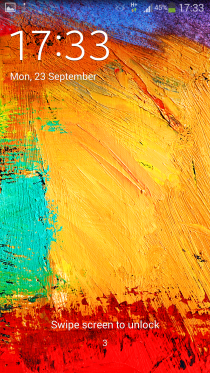
You can have five shortcuts on the lock screen and these can be customized to any applications installed.

Get past the lock screen and you're greeted with several widget-heavy home screens as standard. I deleted a lot of the widgets as they simply got in the way and I had no need for them - although with the vast selection on board I found one or two I decided to keep.

You can edit the number of home screens you have, with a maximum of seven on offer, by simply pinching the display.

The 5.7-inch Super AMOLED display itself is as bright and colorful. Although it is full HD, as a result of the larger screen. the pixel density isn't as high and on comparison with other smartphones with smaller screens.
 
By pulling down the notification bar from the top of the Note 3 will display (image below) Samsung's quick settings bar allowing you to toggle features such as Wi-Fi, Bluetooth and NFC without having to visit the main settings menu.


Hit the button in the top right of the notification panel and you are be able to see all the quick settings available. There's a massive choice, with 22 options provided on the Galaxy Note 3. You can edit which ones display in the bar on the main notification page by clicking the pencil icon at the top of the screen and then dragging and dropping the settings you want instant access to.
 
Pull out the Note 3 stylus and the screen will immediately awaken with Air Command activated. Alternatively, if the screen is already on, simply hover the stylus over the screen and press the stylus button, immediately activating the 5-option overlay.
 
The five Air Command options are:
 
 
The five Air Command options are:
 
First things first. I have only experimented with Air Command but I really like it and it is something completely missing from Apple or Windows phones.
  • Action Memo – quickly scribble notes and connect them to actions such as saving a phone number or contact information, sending a message, searching the web. or creating a task.
  • Scrap Booker – save anything you encounter – such as websites, maps, and pictures – into organized scrapbook categories with accompanied notes and information for later browsing.
  • Screen Write -no matter where you are or what app you’re in, snap a screenshot, overlay it with your own notes and drawings, and save it for later use or share it through e-mail, messaging, dropbox, etc.
  • S Finder – search your entire phone and the web with smart filters based on time frame, S-Pen features, tags, and more.
  • Pen Window– instantly overlay a window with one of the following features: calculator, clock, youtube, phone, contacts, hangouts, internet, WhatsApp.
The Galaxy Note 3 sports a 13MP Camera along with a 2MP front-facing camera. The camera app has a massive set of options and settings to help take the best picture. I look forward to experiment with this on my next Disney vacation.
 
Below are a couple of pictures I snapped in my office within minutes of unboxing the Note 2.


The Galaxy Note 3 is an absolute beast of a phone when it comes to multimedia and overall device performance. With a gorgeous 5.7-inch screen, and powered by a quad-core processor and 3GB of RAM, everything from apps and games to videos and music play like a flawless charm.
 
Is the 3GB of RAM being effective used? If you open up the multi-tasking menu (hold the home button) and visit the task manager, you can see exactly how much RAM is currently being used and clear tasks that are taking up memory.
 
The huge screen, bright display, and powerful processor are sure to suck up a ton of energy but the Galaxy Note 3′s 3200 mAh battery holds up well under the pressure. The phone is very new so I have not had anytime to run any benchmark tests but after a full day of use I was at about 30% left at about 9pm which is actually better performance then I received from my Windows Lumia 928.
 
What a technology world we live in! All of this detail about a smartphone and I have not even mentioned the phone quality itself. Anyway the sound quality is what you would expect from a hight quality smartphone although I wish the sound level was a bit louder.  The phonebook also interrogates very nicely with the phone app.
 
Now I need to use the phone for awhile to see what I really think.

Wednesday, August 14, 2013

Hackers Gone Smishing

Many users are finally getting wise to the typical email hoaxes and probably as a result of this hackers are beginning to try a new angle to make our lives miserable.

Text Message Spam


This SMS phishing - dubbed smishing, because everything needs a clever name - will often claim to be from banks, or cell network carriers.

The typical smartphone can access a lot of sensitive company & personal information. Here are some points to be aware of in order to stay safe:

1. Watch for numbers. These texts will often come from "5000" or other non-cellphone numbers.

2. Never Reply. Banks or cellphone companies have plenty of ways to get in touch with you. They will not text!

3. Report It. Forward suspicious messages to "7726" (SPAM). This lets carriers know to block the number.

Just like email do not respond to unsolicited messages, unless you can verify the validity of the messenger!

Tuesday, July 23, 2013

SIM Card Security Flaw Discovered

It took a long time but the humble SIM card that sits within your phone, along with at least seven billion others, has finally been hacked. Of the seven billion modern SIM cards in circulation, it is suspected that hundreds of millions (yes, hundreds of millions) are susceptible. What does this mean? The hacks allow a would-be attacker to infect your SIM with a virus that sends premium text messages, or records your phone calls — and, in some cases, access the secure, sandboxed details stored on your SIM by mobile payment apps, giving a hacker access to your bank and credit card details.

SIM cards are not merely a piece of laminated memory that stores the data that your phone needs to connect to a cellular network. In actuality, the SIM card in your phone is actually a small computer, with memory, a processor, and even an operating system. As you can see in the diagram below, there is a chip beneath those gold contacts, and on that chip there is a processor, ROM (firmware that stores the OS and SIM apps), EEPROM (which stores your phone book, settings, patches), and RAM (for use by the SIM’s OS and apps). In the photo below of a disassembled SIM card, you can clearly see that this is quite a complex computer chip.


Unfortunately, like any computer chip that runs an operating system and apps, a SIM card can be hacked. In this case, modern SIM cards run a very simple OS that loads up Java Card — a version of the Java virtual machine for smart cards (of which SIMs are a variety of). Java Card essentially runs small Java applets, and each applet is encapsulated and firewalled (sandboxed) by the Java VM, preventing sensitive data from leaking to other apps. Your phone interacts with these apps via the SIM Application Toolkit (STK) to display information on your screen, and to interact with the outside world. To load apps onto the SIM or to update them, hidden text messages are sent by the carrier, containing over-the-air (OTA) programming in binary form. These messages are signed with a cryptographic key, so that the SIM knows that these messages have originated from a trusted source.

Now, German security researcher Karsten Nohl has discovered a way of finding out that all-important cryptographic key. By sending his own OTA (over the air) SMS's that aren’t signed with the correct key, he discovered that some phones pop up an error message that contains a cryptographic signature. Then, using rainbow tables (a list of plaintext keys/passwords and their encrypted equivalent), Nohl found he could discover the SIM card’s cryptographic key in about one minute. Once he had this key, he could send apps and viruses to the SIM card that can send premium text messages (racking up huge bills), re-route or record calls, collect location data — you name it, with access to the SIM, you can do just about anything.

And if that was not enough Nohl also found a separate bug in Java Card, essentially an out-of-bounds error (asking for the sixth item in a list when the list only contains five items), that can give an app/virus full root access to your SIM card — effectively breaking out of the sandboxing provided by the Java Card VM. With root access, these malicious apps could then obtain any data stored on your SIM, including your address book, or sensitive banking details stored by mobile payment apps.

According to Nohl, he estimates that out of 100 mobile phones, he could gain root access to the SIM card on 13 of them. SIM cards that use newer, stronger encryption (Triple DES), don’t appear to be susceptible to these attack vectors. Verizon and AT&T say they are not vulnerable to the vulnerabilities exposed by Nohl. In essence, mitigation of this attack comes down to the encryption standard used by your SIM card — so if you use a SIM that’s more than a few years old, you should probably get a new one. Most carriers will provide a new SIM if you ask and I would bet especially if you mentioned your knowledge of this new problem.

Wednesday, July 3, 2013

West Chester Connect Launches July 8, 2013

The Borough of West Chester is proud to announce that we are providing a new service which is intended to enhance civic engagement within our community.


“West Chester Connect” is the name of our new service. You can download the free app in your smartphone’s app store by searching for “West Chester Connect”. The app is free of charge. Once downloaded you can easily report “environmental”, “public safety” & “quality of life” issues. You can then follow the process of your work orders through push notifications on your smart phone.
“West Chester Connect” officially launches on July 8, 2013.

You can learn more about “West Chester Connect” by visiting our website at www.west-chester.com.
This service is not intended for emergencies. As always continue to call 911 for emergency situations.

What is West Chester Connect? 

West Chester Connect is simply a way of fostering engagement between citizens and their government. Through the free "West Chester Connect" smartphone app citizens can easily and quickly provide information regarding environmental, public safety and quality of life issues. 

Citizens can then remain engaged with their government as the work orders are processed and completed through push notifications on their smartphones.

What is West Chester Connect NOT For?

First and foremost. West Chester Connect is not for reporting emergency situations.  The reports made through this service are handled as non-emergency situations. 

West Chester Connect is not a place for social commentary. 

You can read the official press release here.

You can learn more by reading our "Citizen Guide"

Monday, July 1, 2013

Fun in the Sun With Your Smartphone

Summertime 2013 Tech Tip #3


A trip to the shore for some sunshine and water may sound like the perfect getaway and in many ways it can be. However your smartphone probably will not agree. There is little doubt that many of us are addicted to our smartphones so here are some tips for keeping them safe this summer.

Seek some shade. Direct sunlight can cause overheating, so be sure to stash your devices somewhere shady. If you do trigger an “overheated” alert, be sure to turn off the device and move it to a cooler location. Do not place it inside a freezer!

Invest in a quality case. In the summertime, the living is easy – but not for your gadgets. Sticky fingers from ice cream, blowing sand and condensation are just a few of the perils the season brings for your devices. There are a ton of options on the market, including rugged cases to help protect from drops and waterproof options to help keep things safe poolside – or tabletop during meals.

Limit the glare. Sunlight can make your screen hard to read. You can tackle this in a few ways:

Adjust your brightness settings. Navigate to your device’s “Settings” menu, then select the “Display Settings.” You can modify both “Brightness” and “Backlight” options on most devices: the higher the brightness settings, the easier it is to read your screen in sunlight. Some devices also offer an “Auto Brightness” option that automatically adjusts your screen for optimal viewing.

Purchase an anti-glare cover which will help make your screen more legible in bright light.

Find some shade. Relax under an umbrella or a tree for some temporary relief.

Low-Fi Stereo Fun!  Summer means impromptu gatherings, which just beg for a great music. But if you do not have portable speakers handy, you can try this simple trick to pump up the volume.  Place your music player in a bowl or glass to amplify your device’s speakers. It really works!

Stay tuned for more fun-in-the sun technology tips.

Friday, June 14, 2013

Securing Your Mobile Devices

Our mobile devices (smartphones and tablets) are becoming a bigger and more important part of our daily lives everyday. Because of this security concerns are growing and becoming more complex as well. I have written about this before and I am sure I will again as security concerns continue to impact how we use these devices.

The threat to our mobile devices is especially challenging because our smartphones are always connected, and they carry personal data, as well as being equipped with cameras, microphones, and positioning device. Because there are many built-in devices options their operating systems and apps complex. All of this adds up to increasing the way that cybercriminals can take advantage of any security holes.

Here are some things you can do to protect yourself in respect to your mobile devices.

Be careful when “checking in” on social sites: This is one of my personal weaknesses. I love to check in so that my friends can know what I am going. This is because Facebook, FourSquare and other geo-location programs are fun and sometimes you can score some deals for “checking in” at locations. However you should to be cautious of letting people know where you are – especially if you’re away from home.

Don’t remember your passwords: Don’t set user name and passwords to be remembered in your mobile browser or in apps and make sure you always log out of accounts when you access them.

Be careful what you share: Yes it’s fine to stay in touch with our friends and family via social networks, but be careful what you share. Even if your privacy settings are set to only let your friends see the information, it’s best to take the approach that once something is online, it lives forever. Think if you’re really ok with your grandmother or boss to see that update, picture or video.

Don’t text or email personal information: While this might seem pretty basic, we may find we need to share credit card numbers or personal details with another person. But this should be done via a secure site or app or use your mobile’s other function (the phone itself - voice call). Emails and texts can be intercepted and then your information can fall into the wrong hands.

Always remember that legitimate organizations like banks will not ask you to text personal details!

Turn off your Bluetooth: If you’re not using this connection, it’s best to turn it off. Not only will this help save your battery life, but it prevents hackers from accessing your device through this technology.

Tuesday, June 4, 2013

Facebook and Batteries Do Not Mix

Are you having problems with the battery on your smartphone dying sooner then you think it should?

If that’s the case, the Facebook app could be the cause. In most cases your Facebook app is never truly going to sleep and then terminating like a good app. As a result, it’s using up CPU time, and a lot of your battery.

Facebook is able to do this because it meets the criteria for two types of apps that Apple allows to run in the background: audio apps and voice over IP apps. Facebook apps are operating under these two backgrounding apps privileges, and, as such, are actively chewing up your battery time.

With any luck a fix will be released soon. Until then, there are only two options.

You can delete the Facebook apps from your iPhone or iPad, and then just use the web version of Facebook, or you can force-quit the app when you’re not using it by double clicking the home button, tapping and holding the Facebook icon in the multitasking bar, and then tapping the little red minus icon. This turns off Facebook completely, until you launch it again.

Facebook can eat up battery life on any smartphone, not just Apple devices. When you have notifications turned on, the app is always reaching out and looking for posts, comments, messages etc. This takes up valuable battery life. Unless your really need to receive Facebook activity immediately on your smartphone I reccomend turning notifications off. You can usually do this in the settings area of your Facebook app for Android, Windows and Blackberry devices.

Friday, April 5, 2013

Windows Phone & Facebook - Good Together

Yesterday Mark Zuckerberg announced “Facebook Home,” a launcher for Android phones. It basically turns any Android phone into a Facebook phone, and they even announced a new phone called the HTC First that will run it out of the box. Mark Zuckerberg talked a lot about making phones about people instead of apps. Sounds like a good idea, right?

First - It drives me crazy that companies like Facebook feel obligated to sell their product to only one company. This has been going on for years and I guess this is just the latest example of the problem. There has also been a rumor that Facebook is working on their own smartphone as well. I for one would never actually use a "Facebook Phone" and the new exclusive to Android "Facebook Home" app sounds like this could almost turn your smartphone into one.

However you can have a nice trade-off between your social life and your smartphone without going all in on Facebook. I know this because I believe one of the things that the Windows Phone has gotten right is their "people integration". I don't think this is what Microsoft calls it but it is how I have started referring to it.

Since it's launch Microsoft has made Windows Phone all about people. This has been a common point of emphasis from Windows Phone 7 to Windows Phone 8. By connecting your Windows Phone to your Facebook account your friends, recent photos, posts, and more are right on your home screen.
Facebook on my Home Screen. Facebook Photos also appear on the "Live" Photos Tile. The Facebook tile here is in it's small form. The Photos tile in it's medium form.

In Windows Phone you can pin friends to the Start screen. You can see Facebook photos right in the Pictures app. Facebook Messenger can be used in the same app as your regular text messaging. Plus, if you happen to use more than just Facebook for social networking (like most people) you can see all of that stuff too. Zuckerberg isn’t making Android phones about people, he is making them about Facebook friends. Most of us don’t just have friends on Facebook.


The "People" app slides right or left allowing the user to easily go to sections such as "what's new", "recent", "together" and "all". "Together" is where you can create groups such as "family", "work" or "friends". This allows you to set up with the ability to send "group messages" quickly.
The Windows phone also interrogates all of your social media accounts into your "People" app. This is where you can look up phone numbers, make calls, send text messages and even read through everyone's most recent activity on social accounts such as Facebook, Twitter, LinkedIn etc.


Another place where Facebook is smoothly interrogated with the Windows Phone is "photos". Opening the "photos" app not only shows the "camera roll" but each of your "Facebook albums" as well. This is a great way if just want to browse you Facebook photos or if you are looking for something specific.

So as you can see, the big "Facebook Home" announcement yesterday for the new Android phone is a big "blah" to anyone using a Windows Phone.

Friday, March 15, 2013

Windows 8 on the Road - Final Report (for now)

Looking back on my recent Disney World trip and my experience with Windows 8 I must say that for the most part I am happy with my smartphone and tablet. However if you read my previous 3 posts straight from Orlando you will also know that all was not peaches & cream with me & Microsoft.

Microsoft Surface Pro Tablet

The only problem here was using the tablet in very crowded places. The flight into Orlando was especially tough. I was sitting in the middle of three seats and the passenger on my right (not the wife) was crowding me. The Surface tablet is much heaver and bulkier then a IPAD and it was difficult to really get comfortable with it on the flight. However once arriving in Florida the Surface tablet was a delight to use. Each morning I was able to actually get a little work done, read the newspapers (just like my IPAD) using the Press Display app. There are still some much needed apps like Zite & Flipboard missing but I will give Microsoft a little more time to get these. I could also easily write blog articles, browse Facebook as well as the internet in general. Doing all of these tasks on an IPAD would be difficult at best.

Windows 8 Phone

First and foremost. For the most part my Nokia Lumia 822 worked just fine. As I have been reporting Microsoft Office, Lync, SharePoint & SkyDrive integration cannot be over valued, that is, if your goal is to get work done no matter where you are.

The main problem I experienced was the phone losing connectivity to the internet. From time to time I would have to restart the phone to get it to connect to the internet. This occurred about 4-6 times and I must admit I was a little flustered by this. I had status updates to do after all! This was very strange indeed because with the 2 months I have been using this phone the only time this problem occurred was during my trip. No problems with this, before or since. I will keep an eye on this particularly.

My Photo Tile
It also took a little practice to get used to the 8mp camera but once I did it was fine. Pictures can be setup to immediately upload to your SkyDrive account which is really a great feature. It's also very cool to have a live "Pictures" tile (pictured right) displaying your camera roll.

I am a music lover. If you enter my office you will probably hear Classic Vinyl, Classic Rewind or Deep Tracks playing. If you are an honored guest at my home there will probably be music playing. If I am outside working (hurry up Spring) I am giving my ear buds a work out. Here is another area where the Windows Phone 8 OS is weak. The music player and interrogation is worlds behind Apple. So I did no expect anything here and in fact brought my IPOD for music.

All in all I will be continuing to use my Windows 8 Phone while watching closely for continued updates and enhancements from Microsoft.

Both of these devices offer hope for those us wanting the best of both worlds. Devices that truly integrate home and work life.  Only time will tell if Microsoft can improve where necessary while keeping their eye on the prize.

Monday, March 11, 2013

Windows Observations Continue @ Disney

First the good news. The Microsoft Surface Pro has proven to be a big winner with me. Other then some difficulty using it in crowded places like airports and airplanes it has worked as I had anticipated. Once you have some space, like at the resort (and of course at home or at work) there is not much that you cannot accomplish with this tablet. For example while sitting at the resort having my morning coffee in the lounge I was able to remote into work and complete two (2) work orders,write this article, browse my pictures from yesterday, read the newspapers via an app and simply surf the internet as we tried to decide what Disney park to hit first.

Now the not so good news. The Windows phone does a lot of things OK. The only thing truly exceptional with it at this point is it's excellent integration with Microsoft Office, Skydrive and Sharepoint. Once you get past this there is work that need's to be done by both Microsoft and their phone manufactures.  If you recall I reported that the phone on day 1 lost it's cellular connection twice and had to be restarted to reestablish it. Yesterday it failed to connect to the internet at least 5 or 6 times. I had to restart the phone on most of these occasions to reestablish the connection. Very strange. The camera is weak in performance. It can take several moments for the shutter to work, even when using the physical shutter button. The Facebook and FourSquare apps are not as neatly developed as their counterparts on Apple or Android. Everything in these apps seem to take longer then what is necessary with Apple and Android phones. This must change if Microsoft truly wants to get a piece of the consumer smartphone pie.

Well the testing continues and I must head out to the parks.

Have a magical day. 

Sunday, March 3, 2013

Microsoft's New Approach to the Home Screen

Windows Phone takes a markedly different approach to homescreen management. Both Apple’s and Android use basically the same old the app icon grid. However Microsoft relies on Live Tiles. Both approaches come with their fair share of frustrations, but after my experience with a Windows 8 phone I must say I think the Windows model is far superior in many ways.


Apps can take one of three sizes on the Windows Phone home screen: small squares, large squares, or wide rectangles. And not every app needs to be on your home screen. You can arrange only the apps that you use the most frequently on the homescreen. All of your apps are discoverable from a second screen, accessed by swiping across the main homescreen, where they’re alphabetized and searchable. Apple & Android can do the searchable part, but the surprisingly handy alphabetical list feels like an obvious omission now that I have been using it.

Windows Phone’s Live Tiles add a degree of intelligence that the Apple home screen simply does not have. Instead of simply badging app icons, many app icons (tiles) can instead show actual data pulled from the apps in question: For example your Facebook & Twitter tiles can cycle through recent messages while a weather app’s tile can show the forecast and current conditions, and the calendar tile can show upcoming appointments. Though limited by space constraints, the feature is clever, and it works well.

While you can choose various themed colors for your Windows Phone as well. The Windows phone, with it's 3 sizes of tiles and endless ways in which to organize your home screen is fun and can really make your phone stand out from your friends, family and work mates.

Try this as an experiment if you have the time. If you have an iPhone and look around probably several others will have one as well. If you then find a couple of people with the same model (4, 4S or 5), mix them up and throw them on the floor (lightly). It will take a few minutes of looking at each one to figure out who's is who's. However if you have a couple Windows 8 phones (not a good bet just yet), and even if they were the same model and color, the same experiment will no doubt demonstrate that immediately each phone's owner will have no problem knowing which is his or hers.

Friday, March 1, 2013

Windows 8 Phone - Part 2

OK I admit it I was feeling a bit guilty. You see through January I had been using a Windows 8 phone and was really enjoying many elements of it, especially the seamless integration with Microsoft Office, SkyDrive, Lync & SharePoint. Shure many of the iPhone Apps I have grown used to were not there, but hey Facebook, Twitter, LinkedIn & FourSquare were available. As a matter of fact in the past couple of weeks YouTube was finally added. However I really did miss some of those apps I had gotten used to using such as Tivo, SiriusXM, Pocket and of course Apple's superior music player and in early February I switched back to my iPhone5.

OK Windows 8 Phone Let's Do This Again

Now that I am testing the Microsoft Surface Windows 8 Pro tablet and I have a couple trips coming up I figured I should try out the Windows 8 phone again. With all of that being said I switched back to the Nokia Lumia 822 Windows 8 phone with a commitment to give it yet another month to test out.

I hope to report some good news to all of you during the next 30 days or so regarding my experience with this Windows 8 phone.  Wish me luck.... and stay tuned for more.

Thursday, February 7, 2013

Windows Phone Moves into 3rd Place

I have been predicting this for almost a year now so when I read that Microsoft's Windows Phone platform has leaped past Blackberry (formally known as RIM) into the third place position for mobile operating systems I just had to report it here.

Stategy Analytics reveled on February 6, 2013 that "Microsoft Windows Phone" overtook Blackberry OS to become the third largest smartphone platform in the United States maket during Q4 2012.
Blackberry had held this position since 2006 so this is big news for Microsoft as they struggle to gain market share in the mobile world.

If you are a regular reader of this fine blog you will recall that I used a Windows 8 phone throughout January. Although I switched back to my iPhone afterward i was impressed with many of the features Windows 8 had to offer. However the platform is still in the infancy stage and needs a little more time to develop. I am hopeful that I will soon be switching back to the Windows Phone because I do miss having Microsoft Office and Skydrive always accessible to me.

Thursday, January 31, 2013

Living with a Windows 8 Phone - For a Month Anyway

I combined all of my articles into one paper the desribes in chronological order my one month experience with a Windows 8 Phone. If you are considering switching to Microsoft's new phone or if you are just interested in learning more check it out here.

Windows 8 Phone - If Wishes Were Horses

I lasted a month with my Windows 8 phone. We had some goodtimes – we had some not so good times. There is an old saying that  goes something like this that describes my feeling about the Windows 8 phone. It goes like this, “Wishing for something doesn’t make it true”. Don’t get me wrong. I really – really want Microsoft to find success with their Windows phone. There are some unique benefits to their phone that cannot be found anywhere else. However the Windows phone is in the baby stages of development and there is still a little work to be done before Microsoft can truly nudge their way into relevance in the smartphone world.  This is not to be unexpected, the head start Apple (2007) and Android (2008) have over Microsoft (2010) is significant.  If you further consider that Microsoft only launched their Windows 8 phone on December 20, 2012 they truly have a lot of ground to catch up.

After using the Windows 8 phone for a month I came to the following conclusions.
It’s all about the Apps

Sadly it’s all about the Apps for many smartphone users. Android and Apple have done an amazing job of enticing companies to develop apps for their smartphones. If you are a business you almost are required today to develop and release an IPhone and Android app. The amount of Apps has exploded since 2007 and 2008. Microsoft has a lot of catch up to do here if they want consumers to move to their eco-system. The good news is I believe Microsoft realizes this and they are working to increase the amount of Apps available as quickly as possible.
I Want My Music

Yes – I know this is not exactly business related. However most users of smart phones have stopped carrying separate portable music players and rely on their smartphone for this. In addition if Microsoft is going to be successful with their Windows phones they cannot rely only on the professional consumer. This is what RIM did and look what has happened to that company. Microsoft has never got the music player right. Microsoft's biggest effort with music players was Zune (2006) which never competed with Apple in any meaningful way. This was simply because Zune is not that good. It was overly complicated. The music player on the Windows 8 phone is not much better. Importing music and tags* is erratic and overly complex. This will need to improve as well for the Windows phone to find mass appeal.
* Tags contain the information in music files such as artist name, song name, album title, album year, album art in additional to other details regarding the song file.

The Windows Advantage
There are some great advantages that Microsoft has over Apple and Android even at this early stage. The first and most important is Microsoft Office integration. With the addition of SkyDrive integration accessing documents is far easier and efficient on the Windows phone then any of its competitors. 

Sharepoint and Lync users will also find the integration of these services seemless, which is not true on Android and IPhones.

Microsoft has demonstrated real innovation with the Windows 8 operating system. Moving away from icons that include several screens to a live tile interface is the first real change in smartphones since 2007. Because of this live tile interface no 2 Windows 8 phones look alike once the user begins customizing their phone. This cannot be said for IPhones and Android phones.
I will stay on top of the continued development of the Windows 8 phone. I hope to find myself using a Windows 8 phone again. I truly believe it has the capability to become a true option not just for the everyday consumer but professional organizations as well.  

Friday, January 18, 2013

2 Week Review of My Windows 8 Phone

OK it’s been about 2 weeks since I gave up my IPhone for a Windows 8 Phone. There have been some tough times during these past 2 weeks and sometimes I actually miss my old IPhone. However that being said I must say I have been adapting to this new smartphone.  The problem in my opnion is that innovation inside of Apple has slowed to a crawl, especially in respect to their smartphone. The IPhone today (IPhone 5) actually in many ways is the same phone as the original (IPhone 3G). Sure the processors have improved, 4G is now available and SIRI is available when you are lonely. Other than this the innovation within Apple has been incredibly slow in respect to the development on the IPhone product. 5 years have passed (2007) between the first 3G model and the current IPhone 5 (2013) model. That's a really long time in the tech world.

 
Anyway enough of the past and on to my experience with the new Windows 8 Phone. Unlike the IPhone there are various manufactures developing and building Windows phones. Each wireless provider offers different models. I have a Nokia Lumia 822. In previous posts I have written about my disappointment with the Windows Music player and App Store.  Moving on from these issues my experience gets much better.

Here are some of the highlights.

Before I move on to some specifics let me say that the voice quality on the Nokia Lumia 822 is loud and clear. Music playback is also very good. The form factor although a little heaver & thicker than the IPhone 5 is actually very nice. I have found that the battery (which is removable) will easily last 24 hours with normal usage.
The Lock Screen is very customizable. Services such as the Weather Channel, ESPN & Facebook can be used as live wallpaper. Updates can be displayed on the lock screen as well. 

Home Screen Displaying Weather

Microsoft Office integration is really where the Windows 8 Phone shines above any of its competitors. With the integration of SkyDrive, accessing & working on your files has never been easier or more efficient. Office even displays your “recent documents” to quickly access a file you are reading or working on. The "recent documents" are linked to the documents on your PC or tablet.
 

SkyDrive has really improved over the past year. Microsoft currently is offering 7 GBs free. If you do not use Office SkyDrive is still there to manage and store documents. SkyDrive can also be accessed on your PC at www.skydrive.com.

The interface of the Windows 8 Phone is also far superior to the IPhone. I also give Microsoft credit here for developing a completely new design for their smartphone. In place of stagnate icons and screens that move from left & right are “live tiles” that can be sized from small to medium to large. When the tiles are medium or large “live” content is often displayed. Because of this no two Windows 8 phones will look alike once the user begins designing their display.


Although managing your music is a much more challanging task as opposed to the IPhone once configured it is actually not that bad. That being said there is work that needs to be done with the music player if Microsoft wants to seriously compete with the non-professional consumer. I have hope here because there is word that SkyDrive integration is around the corner. This would seem to be a natural place to store music in the cloud.


I will be continuing to use & evaluate this phone. With each passing week I become more convinced and hopeful that the Windows phone can become a real possibility, especially for the professional who wants to have a true “smartphone” that can do it all while remaining customizable and fun.

Friday, January 11, 2013

Windows 8 Phone - Early Observations

As I finish up my first full week of using a Windows 8 Phone I wanted to note some early observations here. Once I got past the limitations of the app store and music player I started to get comfortable with the phone otherwise. The integration of Microsoft Office, SkyDrive, Lync and Sharepoint are truly the strengths of the Windows phone. Accessing, reviewing and even editing documents on the phone are easier and faster than any other smartphone I have ever used.

The interface of the Windows Phone does takes a little time to get used to but after a day or 2 I quickly mastered its use and customization. I will give Microsoft this. Apple and Android phones use icons to display applications and multiple screens to organize the program flow. Microsoft actually innovated with their Windows 8 operating system. The “metro style” tiles only flow vertically. The tiles can be sized from small to medium and large. Many of the tiles are live which means that “live” information is displayed as opposed to the same old “icon”.

Technical Information – Nokia 8202Windows 8 Phone

Here are some technical specifications, which are all very acceptable. The Windows Phone I am using is the Lumia 820. The phone has a 4.3 inch screen.  The phone is 10mm thick and comes in at 160g, which is a little heaver then the Iphone5.  It has a dual core 1.5Ghz processor with 1GB of ram and a 8mp camera on the back. There is 16gb of internal storage and an expandable micro-SD slot. 

From it's easier to get at buttons; its wireless charging shells, expandable memory, to its exclusive apps the Lumia 822 is a fine smartphone. 

Final Thoughts After Week 1

In many ways, the Windows 8 smartphone operating system is superior to both Android and the iPhone, notably for the way it delivers information to you without you having to go out and grab it. Windows Phone 8 deserves the chance it appears to be finally getting.  I look forward to the continued evaluation of this phone.

Tuesday, January 8, 2013

Windows 8 Phone - That was Easy!

OK I am starting to settle in with my new Windows 8 phone. Once I got over (and accepted) the limited apps [in the store] and weak music player I really started to enjoy the smartphone for what is strived to be. A strong option for anyone who simply desires a great work device. First, if you are a Microsoft enterprise user, either on premises or in the cloud or hybrid the setup for these devices are exceptionally easy. Once the phone is activated all I had to do was log into my Microsoft account after which my email and SkyDrive accounts were setup and synced. Out of the box, Microsoft Office is ready to go. Open Microsoft Office and all of your files (through SkyDrive or SharePoint) are ready for you.

I set the phone up in under 5 minutes!   

I will talk more about the actual use of the phone soon but wanted to report on how easy these phones are to setup and use, especially if you are a Microsoft Office user.

I will touch on the current state of the Microsoft Store in a later article as well.

Sunday, January 6, 2013

Windows 8 Phone - Music Player

I really do like much of what I see with my new Windows 8 phone. I really do. However here is a second article in a row with a negative tilt. You see I love my music. So much so that even in this cloud based world I need to have my music with me, on my devices wherever I go. One of the best things about the IPhone is its excellent music/iTunes interface. Syncing and organizing music on Apple devices is insanely easy. With Microsoft…. not so much.
  
The Windows 8 music player (pictured left) is weak, overly complicated and simply does not work very well. First you have the problem of getting your music to the phone. There are basically 2 choices for doing this. One is using the Windows Phone App which you can install on you PC. Once installed you can sync directly from your iTunes library or by browsing your PC for the music you want.

The Windows 8 Phone - PC App


The second choice is by dragging and dropping your music files to the Windows 8 Phone drive. Neither of these solutions are anywhere near the ease of use IPhones enjoy. My other problem with the Windows 8 phone music player is it seems to have a trouble displaying some of the cover art.

The sound quality on my Lumia 822 is fine and I could not hear any distinguishable difference from my IPhone.  
I will be patient here because the Windows 8 Phones are so new and there is sure to be improvement with the music player functions. There are strong rumors that music player abilities will be integrated into SkyDrive. This is exciting and could go a long way towards Microsoft finally challenging Apple with music integration.

Saturday, January 5, 2013

Windows 8 Phone – Living Without Apps

The first thing I found myself doing with my new Windows 8 phone was looking for the same apps that I had become accustomed to with my IPhone. I was not surprised to find that many apps were not available. It is important to remember that Windows 8 (phone) is young and although the app store inventory is growing it currently is simply missing many of the apps I have enjoyed in the past. Several of the basic apps are there, like Facebook, Twitter, LinkedIn, NFL Mobile, ESPN, CNN and Zite. While others like Instagram, Pandora, and LogMeIn are not available at this time.

While I believe Microsoft will eventually make most of the popular apps available in the months to come there is a workaround. This is because Windows 8 (phone) comes with a fully functional version of Internet Explorer. Therefore you can simply go to the webpage and “pin it” to your desktop. In fact in many cases the native website is actually superior to the app.
Living without some of my favorite apps is definitely one of the biggest challenges I am struggling with so far.

Coming up next  is my review of the music player.